For those who teach
You take care of teaching. Aulecko takes care of the rest.
Your studio, your brand, your students and proof that they improve. In one place, for any subject.
Free during early access · nothing to install · works offline
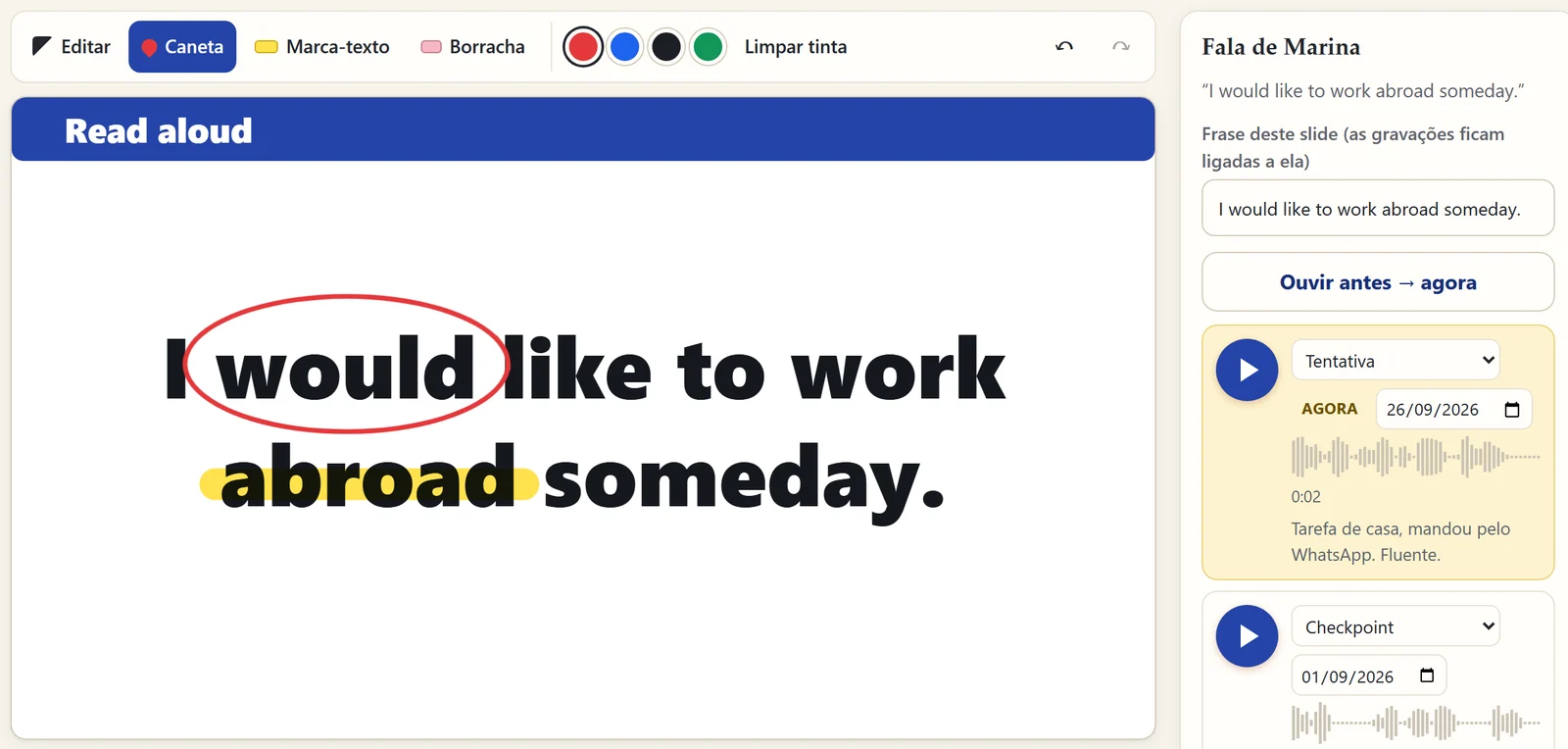
What every teacher looks for, whatever the subject.
- Works today
See the student understand
Board, slides and the student's voice on one screen. You see, and they hear, how far they have come.
- Works today
Time back
Every student opens where they stopped, and closing the lesson already notes the next step. No more juggling six apps.
- Works today
A brand that is yours
Your name, your studio and your color already apply everywhere. Your own page and address come next.
- Coming soon
Students who keep coming
Messages to students and, further ahead, the option to sell your lessons inside Aulecko.
Today, one lesson scatters you across eight apps.
Meet for the call, Canva for slides, WhatsApp for the student's voice notes, Drive to store things, a calendar to book, a notepad and a spreadsheet to remember where each student stopped. And none of them remembers the student.
- Meet
- Canva
- Drive
- Calendar
- Notepad
- Spreadsheet
- Notebook
Aulecko brings the lesson into one place and keeps what none of them keeps: the evidence that your student improved.
Three moments. One place.
Build the lesson
Ready-made slides for teaching: vocabulary, right × wrong, fill in the blank. Paste images with Ctrl+V or bring your lessons from Canva.
Teach it
Call your student into the online room, mark it up with the pen, highlight, and record their attempt tied to that very sentence.
Show the result
When you close the lesson, what was learned and the next topic are written down. The next lesson opens exactly where your student stopped.
In development
Your space dresses itself in your subject.
Pick what you teach and Aulecko turns on the right tools: the periodic table in chemistry, equations in maths, the student's voice in languages. You switch each one on or off, or leave it on automatic.
How much do you want to tinker?
Mon 7pm · English lesson
Mon 7pm · Minimal pairs /θ/ × /t/
Mon 7pm · B1→B2 · goal: 3 recordings a week
Tools that appear
- Notebook
- Calendar and reminders
- Tasks per student
- Sticky notes
- Build it your way
2 + 3 = 5
x² − 5x + 6 = 0 → x = 2 or 3
∫₀¹ x² dx = 1/3
Tools that appear
- Equation editor
- Function graphs
- Geometry
- Calculator
- Build it your way
v = d / t
F = m · a
E = m · c²
Tools that appear
- Vectors and forces
- Motion graphs
- Constants
- Units
- Build it your way
H₂O = water
2 H₂ + O₂ → 2 H₂O
PV = nRT
Tools that appear
- Periodic table
- Chemical equations
- Molecules
- Balancing
- Build it your way
Hola = Hello
I would like to work abroad.
Had I known, I would have stayed.
Tools that appear
- Voice before → now
- Vocabulary
- Right × wrong
- Dictation
- Build it your way
Do · Re · Mi · Fa · Sol
♩ = 72 · C major
ii–V–I: Dm7 · G7 · Cmaj7
Tools that appear
- Compared recording
- Sheet music
- Metronome
- Rhythm
- Build it your way
Cell → tissue → organ
DNA → RNA → protein
ATP → ADP + P + energy
Tools that appear
- Cells and organs
- Virtual microscope
- Genetics
- Anatomy
- Build it your way
print("Hello!")
for i in range(3): print(i)
def total(*n): return sum(n)
Tools that appear
- Code editor
- Terminal in the lesson
- Exercises with tests
- Line-by-line review
- Build it your way
Earned 10, spent 4: 6 left
$1,000 at 1% a month = $1,126.83 in 12 months
A = P · (1 + r)ⁿ
Tools that appear
- Spreadsheet in the lesson
- Interest simulator
- Charts
- Student budget
- Build it your way
1969: first steps on the Moon
1492: Columbus reaches the Americas
1789–1799: the French Revolution
Tools that appear
- Timeline
- Maps
- Sources and documents
- People
- Build it your way
This is a preview of what we are building. Today the studio already has a board, slides and voice; subject tools arrive in stages, and you are always in charge.
What already works today.
Board and slides
Pen, highlighter and eraser on top of any slide, with ready-made lesson templates. With a mouse, a tablet pen or your finger.
Your student's voice
Record live or import WhatsApp voice notes with the right date. Every recording is tied to its sentence.
Each student's journey
Where they stopped, what you noticed, what comes today. You don't have to remember anything.
Online lesson
A room with a link for each student, with video, voice and the lesson's sentence on the student's screen. Nothing to install.
Your brand
Your name, your studio and your color everywhere. Students see your studio, not ours.
Your data, with you
Works offline and saves on your computer. With an account, a secure cloud copy in the European Union.
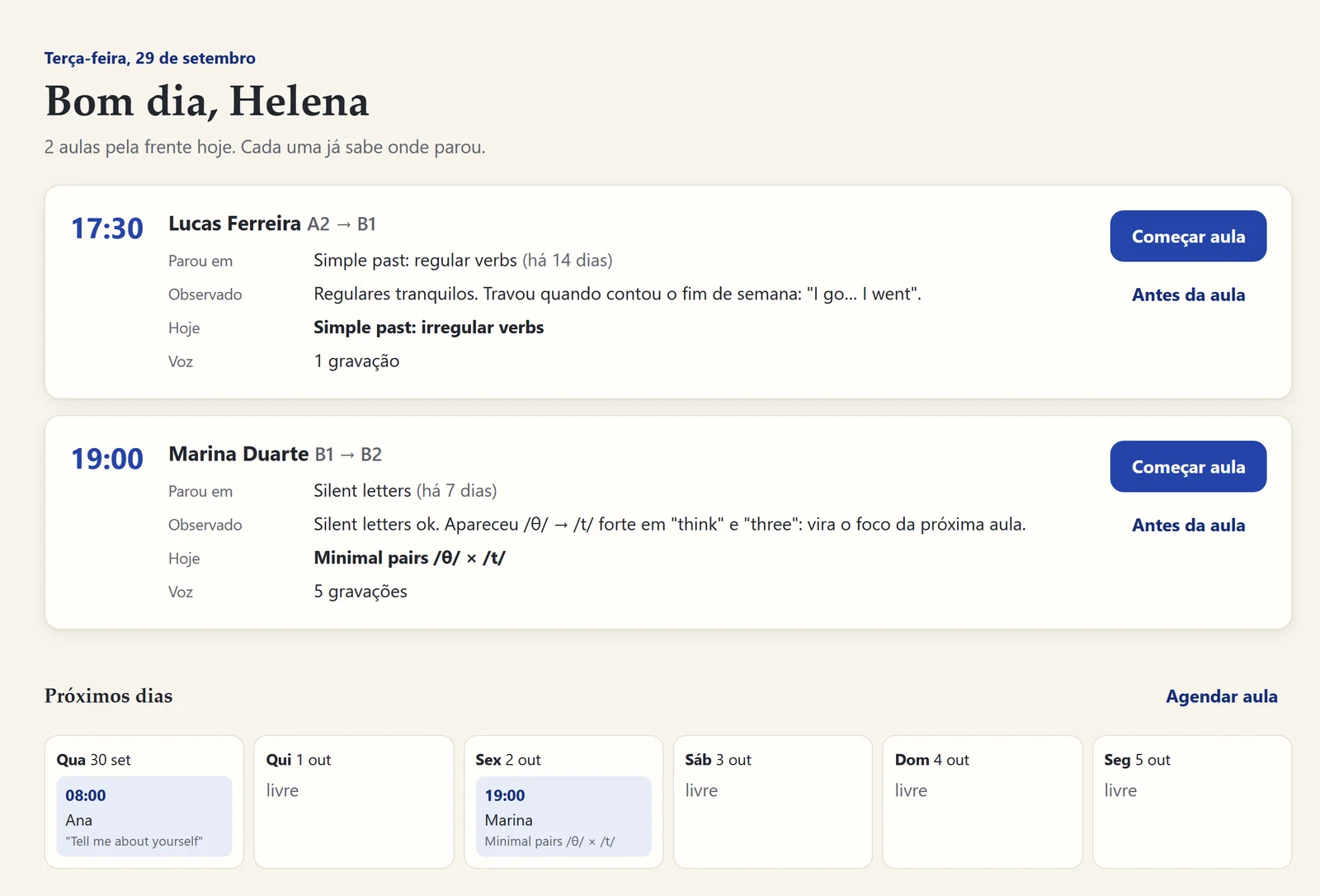
Before → now
Let your student hear their own progress.
The first time they read a sentence becomes "before". Every new try becomes "now". One tap and they hear the difference. That is the moment a student decides to keep going.
"I would like to work abroad someday."
Synthetic demo voices. With your students, it is their own voice.
It's your studio.
Pick your studio's name and brand color in "Your studio". Buttons, highlights and new slides take your look right away.
Where Aulecko goes with you.
- Today
Studio with board and slides, student voice, online lessons by link and your brand.
- Soon
Your own address, tools that adjust to your subject and messages to students.
- Later
Selling your lessons and being found by new students.
No promised dates: we only mark as ready what works on screen.
Why Aulecko exists
Born inside a real lesson.
One focus only: what happens between the one who teaches and the one who learns. As simple, practical, immersive and didactic as we could make it.
- SimpleOne link and the lesson opens. Nothing to install, nothing to learn first.
- PracticalEvery button sits where the teacher's hand already was.
- ImmersiveBoard, notebook and voice on one screen, like a real classroom.
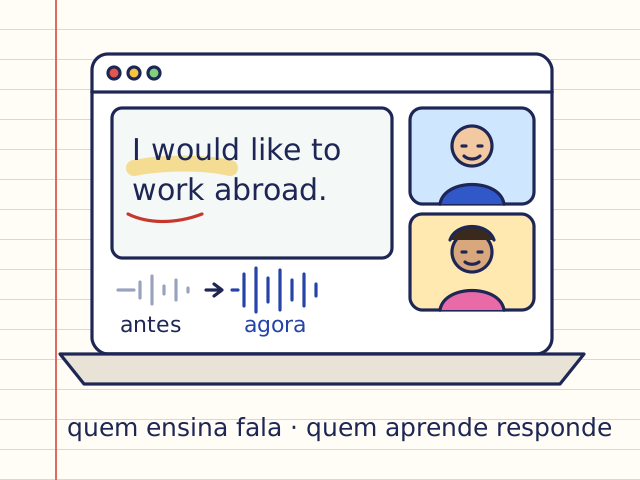
- DidacticThe voice from before and the voice from now, side by side: proof they learned.
Aulecko was designed with an English teacher who teaches online every day: every button sits where his hand already was.
— designed lesson after lesson, with a real teacher
Questions
Do I need to install anything?
No. It opens in the browser on your computer, tablet or phone. Chrome and Edge give the best recording experience.
Does it work offline?
Yes. Everything is saved on your device first. With an account, the cloud copy updates when you are back online.
Where is my students' data?
On your device and, if you create an account, in a private cloud copy on servers in the European Union (Ireland). Only you can access it. You can delete everything at any time.
Can I use the lessons I already made in Canva?
Yes. Download from Canva as PNG (all pages) and drag the file into the lesson: every slide becomes a page, with the pen on top.
Does it work for my subject?
The board, slides, online lesson and student journey work for any subject. Voice recording shines in languages, music and speech. Subject-specific tools are on their way.
Do my students need an account?
Not today: they join the lesson through the link you create for each one. A student space of their own, with history and tasks, is on the way.
Can I sell my lessons through Aulecko?
Not yet. It is in the plans, and you will be told before anything changes. Today Aulecko is your studio to teach and prove progress.
How much does it cost?
It is free during early access. When plans arrive, early users hear about them first.
Your next lesson can start where your student stopped.
Create my free studioTakes a minute.