
For online private tutors
The lesson that remembers your student.
Slides, a pen board and your student's voice in one place. At the end of the month you don't say they improved: you show it.
Free during early access · nothing to install · works offline
Today, one lesson takes six apps.
Meet for the call, Canva for slides, WhatsApp for the student's voice notes, Drive to store things, a spreadsheet to remember where each student stopped. And none of them remembers the student.
- Meet
- Canva
- Drive
- Spreadsheet
- Notebook
Aulecko brings the lesson into one place and keeps what none of them keeps: the evidence that your student improved.
Before → now
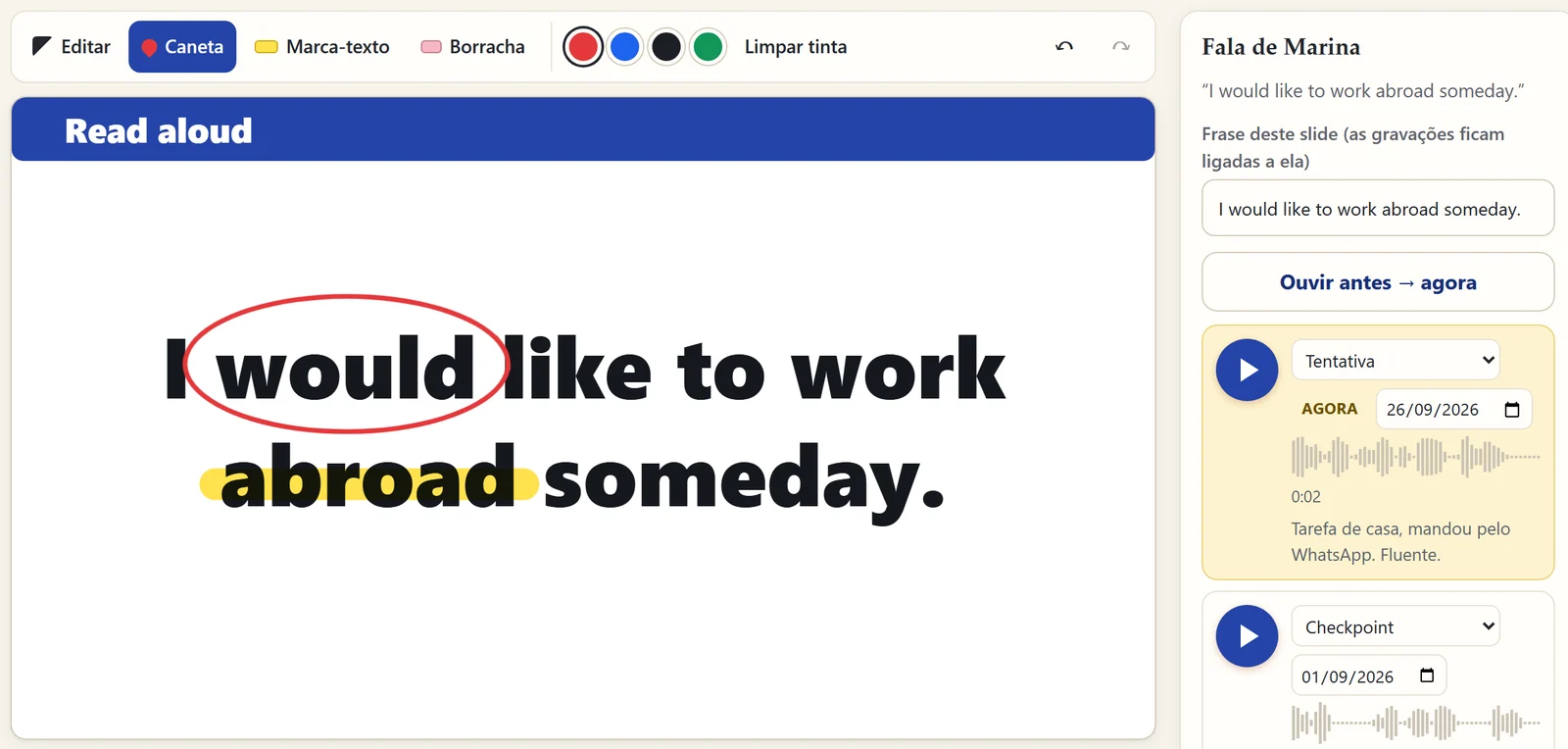
Let your student hear their own progress.
The first time they read a sentence becomes "before". Every new try becomes "now". One tap and they hear the difference. That is the moment a student decides to keep going.
"I would like to work abroad someday."
Synthetic demo voices. With your students, it is their own voice.
Three moments. One place.
Build the lesson
Ready-made slides for language lessons: vocabulary, right × wrong, fill in the blank. Paste images with Ctrl+V or bring your lessons from Canva.
Teach it
Present full screen on Meet, mark it up with the pen, highlight, and record your student's attempt tied to that very sentence.
Show the result
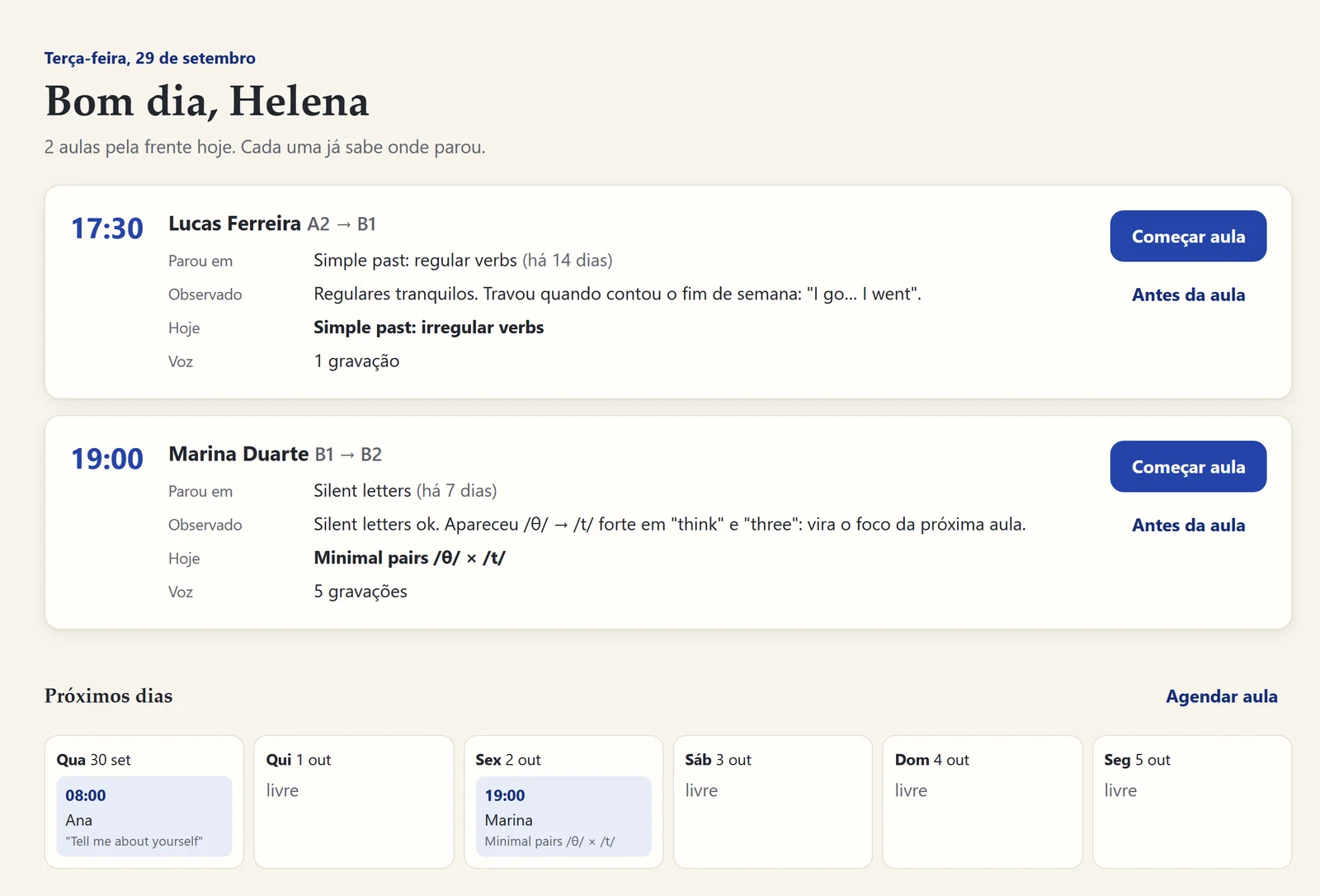
When you close the lesson, what was learned and the next topic are written down. The next lesson opens exactly where your student stopped.
Everything a tutor uses. Nothing in the way.
Ready-made slides
Templates built for teaching: title, sentence to read, picture + sentence, vocabulary, right × wrong, fill in the blank.
Pen board
Pen, highlighter and eraser on top of any slide. With a mouse, a tablet pen or your finger.
Your student's voice
Record live or import WhatsApp voice notes with the right date. Every recording is tied to its sentence.
Each student's journey
Where they stopped, what you noticed, what comes today. You don't have to remember anything.
Your brand
Your name, your studio and your color everywhere. Students see your studio, not ours.
Your data, with you
Works offline and saves on your computer. With an account, a secure cloud copy in the European Union.
It's your studio.
Pick your studio's name and brand color in "Your studio". Buttons, highlights and new slides take your look right away.
Built first for language teachers. Works for anyone who teaches.
- Languages
- Tutoring
- Music & singing
- Speech therapy
- Maths
- Exam prep
Born inside a real lesson. Aulecko was designed with an English teacher who teaches online every day: every button sits where his hand already was.
Questions
Do I need to install anything?
No. It opens in the browser on your computer, tablet or phone. Chrome and Edge give the best recording experience.
Does it work offline?
Yes. Everything is saved on your device first. With an account, the cloud copy updates when you are back online.
Where is my students' data?
On your device and, if you create an account, in a private cloud copy on servers in the European Union (Ireland). Only you can access it. You can delete everything at any time.
Can I use the lessons I already made in Canva?
Yes. Download from Canva as PNG (all pages) and drag the file into the lesson: every slide becomes a page, with the pen on top.
Does it work for other subjects?
It does. The board, slides and student journey work for any subject. Voice recording shines in languages, music and speech.
How much does it cost?
It is free during early access. When plans arrive, early users hear about them first.
Your next lesson can start where your student stopped.
Create my free studioTakes a minute.